Just like Fishing, you can now get money from selling items you find. This plugin has a smaller loot pool compared to fishing, but the items are far more lucrative to sell due to the junk and common items being found more frequently compared to some of the more profitable ones.
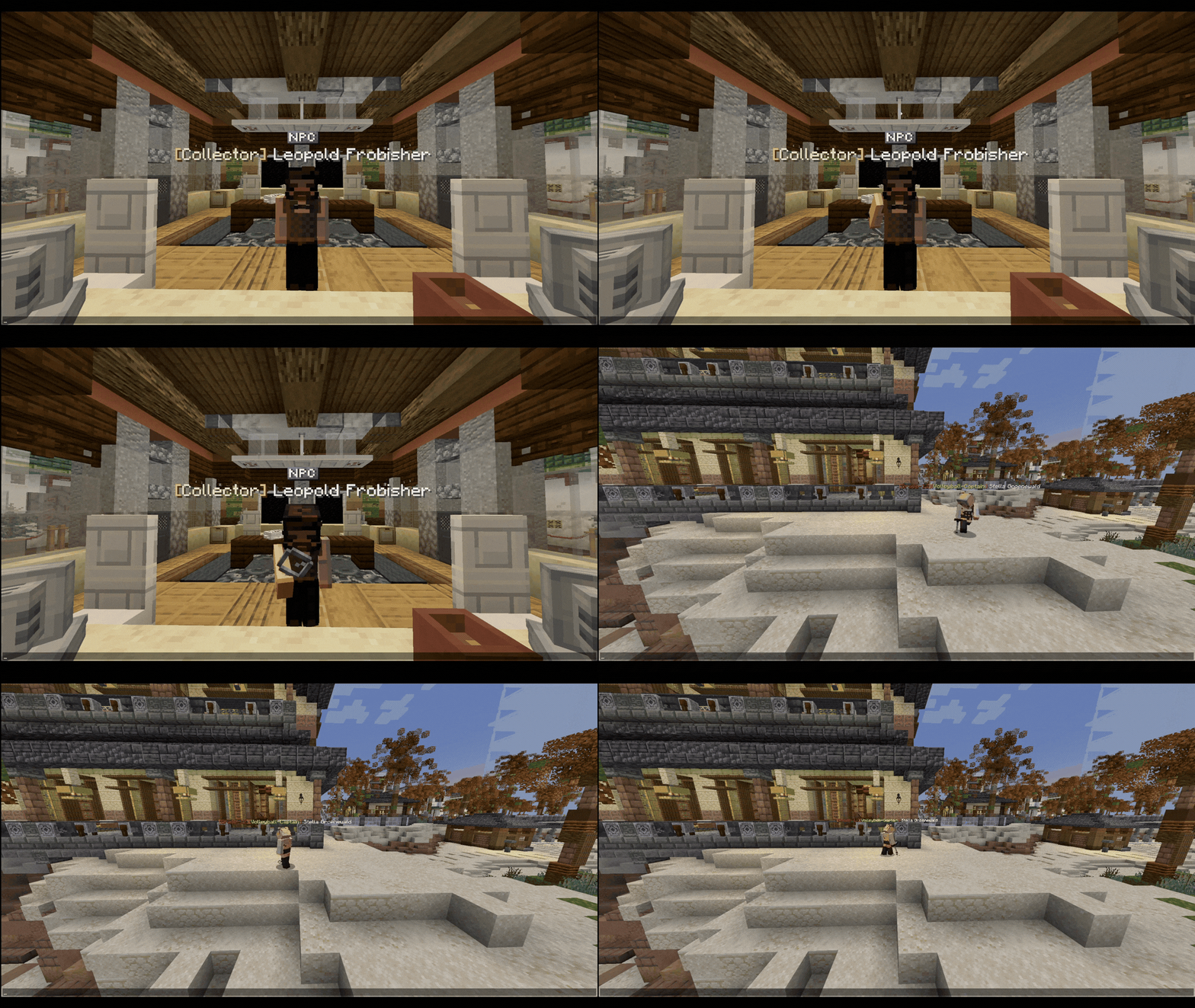
With this update, we've released the first look at our new Karakura Museum that our Build Team is currently working on completing. Here you'll find Leopold, the NPC you sell any treasures you uncover during metal detecting, as well as a sign to buy your first Metal Detector with.
Summary
Find Karakura Museum at 1210x 18y 790z near the Town Hall within the Business Park.
Purchase your first Metal Detector for 1,000 Yen.
Speak to Leopold Frobisher to sell any treasure you find.
Use your Metal Detector on the Beach to find treasures.
Animals that can fly are unable to use a Metal Detector; birds and bees.
To find a treasure block, hold the detector and turn your client volume up. The more frequent and higher pitched the sound emitted, the closer you are to treasure.
Once you're within 3 blocks of a treasure, the sand will have the texture of 'Suspicious Sand', Right-Click to uncover your treasure.
The model itself has animations to show you it's working
Blue screen: Your detector isn't turned on. Are you on the beach?
Blue screen with green pulse: Your detector has found something nearby.
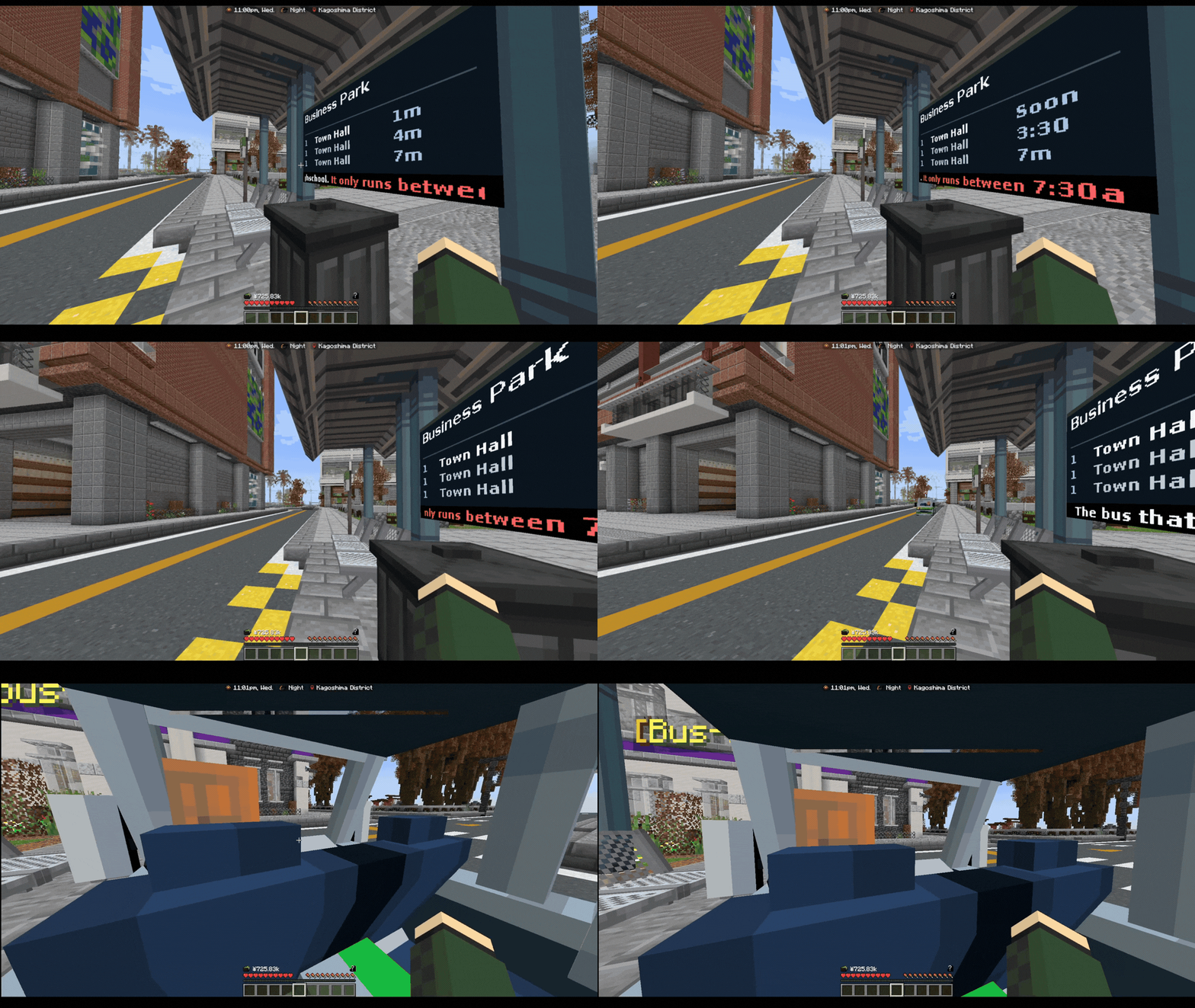
Our School Bus now runs on an automatic schedule with NPC drivers. This allows all time zones to have access to an In-Character Transportation, rather than just heading straight to /spawn and skipping your journey. The route the caretaker-driven school bus took is similar to this one, and you'll find a Bus Stop at: Business Park (near beach car park), Kaigan Pier (near police station), Shotengai, Zen Garden, Powerplant, Town Hall, and of course School (back entrance near 11/7).
Summary
This School Bus now runs before and after school.
Buses are now driven by NPCs on a set schedule.
Anyone can ride the School Bus now.
We have functional display boards which tell you when the next bus is, alongside some other useful info.
Thanking the driver has its own special easter egg reward.
How does this work?
The first route that runs from 7:30am until 9am. This route is for School Drop Off, and you can catch it at any one of the stops around Karakura.
The second route is for School Pick Up which runs from 3pm until 5pm. It's recommended to catch this from the back entrance of School.
You can of course ride this bus route as an Adult too, and if you wanted to ride the route between 3pm and 5pm even when you've finished school and ridden it once already, you can also do so.
The bus is free for all who ride it! As a little easter egg, if you say "Thank you" before the driver pulls off when you get off at your stop, the driver will replenish your hunger bar too saving you from having to eat food items.
Fixed the bug that would have your player constantly blink in and out of appearing when using /lay
Optimized some backend plugin code which had contributed to server lag
Fixed loading of data which contributed to server lag
Fixed some chisel item checks
Fixed decorative blocks ticking
Fixed /changespawn not working properly whenever the player has no property
Fixed some loot in the fishing loot pool from not spawning
Wearable: Fishing Bucket Hat
Storage Item: Fresh Fish Cooler (can only carry fish)
The beach region has been altered to match the new beach update
The beach houses on the beach are ready for release, and will be announced with a later update.
Fixed the Digital Alarm Clock to have the time again
Added movement to gestures missing it
Autumn 2026: Possessed
Autumn 2026: Undead Crawl
Autumn 2025: Tip Toe
Additions
We've replaced our most important NPCs with Animated ones, giving Karakura more life! See these in the Museum, Furniture Shop, Fisherman Hut/Pond, and Plaza
Our resource pack now supports Minecraft version 1.21 - 26.2
We've updated our Server Description (otherwise known as an 'MOTD') to be more modern and inline with our servers.
You are now able to join the Hub and SchoolRP on version 26.3. This is just connection support, our server is still on 1.21.1.
Fixed the bug that allowed you to break your furniture in editmode which would result in you losing it.
We have updated the interior of Felix's Furniture NPC Shop.
38 furniture models have been added to our growing list of public furniture models to be purchased in the Furniture NPC Shop. Thank you to the Shrine Faction and Henki-Do shop for kindly making these public.
Furniture placed in housing is no longer culled, meaning your furniture won't disappear in your property if you're no longer looking at it.
Hitboxes are now far more accurate to the model size, rather than a one size fits all approach.
We have removed the barrier block some furnitures automatically create, and only re-enabled them for furniture we feel it belongs to make your rooms less clunky to walk around, and to allow you to bunch furniture closer together.
Furniture pieces now glow when looking at them with a chisel.
You can no longer paint furniture directly in the Furniture Shop GUI, you must use a paintbrush instead.
Paintbrushes have been added so you can re-paint your existing furniture whenever you like at no extra cost.
Chisels no longer change mode by just clicking, it uses a GUI instead.
Furniture can now move across multiple blocks.
A limit of 350 furniture is permitted per regular property, permanent properties receive a higher limit of 550.
Seats now properly move when the furniture has been moved with a chisel.
Paintbrush
Tired of paying extra each time you want to change the colour of your furniture pieces, or getting stuck with a colour you hate? You can now purchase a Paintbrush item from the Furniture Store!
To use your Paintbrush, simply SHIFT + RIGHT-CLICK to open the menu, and select a colour of your choosing. If you don't have a specific Hexadecimal colour code in mind, you can choose a shade from one of the basic colours in the main menu. You'll also be able to re-equip your 4 most recent colours. Re-paint your furniture as much as you like!
Chisel Changes
After feedback received and the overall experience of using this feature, we decided it was time to modernise it now there have been advances made in some of our other plugins.
Our biggest changes come in the way you choose your chisel mode, movement and how hitboxes. You'll notice that when using the chisel item, any furniture you hover over is now highlighted to show you exactly what furniture your interaction will affect. Not only this, you'll notice that furniture now moves freely across multiple blocks, rather than being stuck on the original block you had placed it on.
When choosing a chisel mode it now opens a helpful UI which describes its exact capabilities. We moved this to a UI to prevent the annoying issue with the previous version where you'd accidentally switch modes in the middle of editing. Each mode selected is, of course, locked until you pick a new one.
This gesture pack is filled with our new Advanced Animations! All of the gestures featured are Multiplayer, in this pack you'll be able to carry a friend In arms, Over The Shoulder, On The Shoulders, or by Dragging.
These gestures are purely cosmetic, and as of now you cannot sprint whilst in a gesture animation so the walk-speed is locked. Not interested in this pack? Don't worry, you can still access /gesture piggyback for free in-game or simply use /carry.
Multiplayer gestures require at least one of the participants to have access to the gesture. To join a multiplayer gesture, simply right-click a player who has one of these active.
When a property expires, any items left in chests (including private ones) will go to the correct claimed player, and any furniture will be given to the old property owner. This is recoverable via /p recover.
Starting today, only items which are "public" can be sold on Auction House. This is to prevent unwanted selling of private items. If an item is configured incorrectly, please contact staff.
The turf system integrated into the gangs plugin has been discontinued in favour for an In-Character system being developed by the faction lead.
Shop's and Team House ownership is now managed directly by the respective faction lead.
Your original ticket question will now appear in the ticket message log via /ticket messages
A bug with the mailman has been fixed where players couldn't access the menu.
28 Jun 2026
Bug Fix
If you have a package we were unable to migrate, you will automatically be compensated 20,000 Yen per missing package. We apologise for any missing packages, we have updated our database to prevent this from occuring in future.