Chat & Phones Changes #
We changed some of our systems.
17 Sep 2026
We've fixed some of the bugs players faced with both Phones and Chat, as well as added a new feature!
Phones
- Fixed a bug with /messages where it would show additional pages, but when the user visited them it'd be empty.
- Fixed a bug where /messages simply wouldn't load at all.
- Added languages to texts via the new inline languages.
Chat
- Fixed bug where the player would receive "An error occured while processing this message" in chat.
- Added Inline Languages (see below)
Inline Language Update
Got a character that knows multiple languages? You can now flip between languages in your messages using inline languages just like you could in real life when talking to friends that speak multiple languages, rather than the usual /lang commands.
Inline languages can be used in all action-based commands, however should not be used for actions themselves, only speech. For example /me Waved "[spanish]Hey![/spanish]"
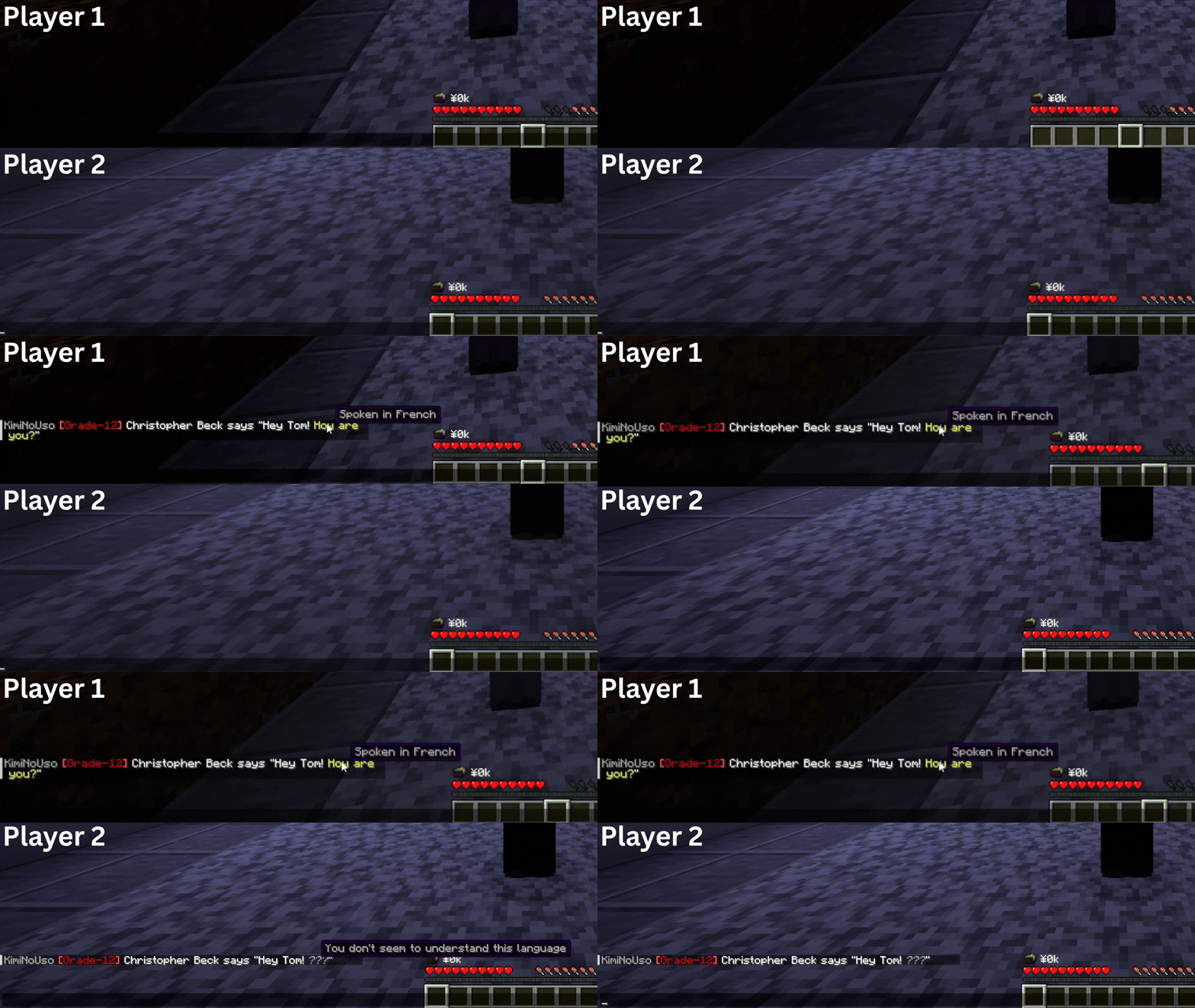
How do I do this? To use inline languages, start your text with your language in square brackets (e.g. "[french]"), followed by your message, then end with the same square brackets but put a forward slash (/) in front of the language name.
Show me how: Here's an example of multiple languages being spoke in one chat message: Hey, I'm Tom! [french]But you already knew that,[/french] didn't you. [spanish]Anyway, how are you?[/spanish]..