You can now directly connect to SchoolRP via the IP play.schoolrp.net. Using this, upon connecting you will bypass the hub entirely and be put into "Limbo".
You'll also notice that when viewing the server in your multiplayer list you'll see the updated server description and an accurate reading of the player count on SchoolRP itself, rather than the network as a whole.
We still recommend using version 1.21.1 to connect to SchoolRP, however we support connections from versions 1.19.4 → Latest (Latest Minecraft version currently 26.3).
SchoolRP Description
What's Limbo?
Limbo is — as it sounds — a blank server used to queue for servers on our network. We have this in place to ensure server stability during periods where we see an influx of connections; for example when the server restarts. You'll be automatically forwarded straight to SchoolRP as soon as possible (the Icon rank from our store still has priority in this queue).
Can I still use other IPs?
Yes! You can still connect through Roleplay Hub IPs, this will take you to the hub, and you'll just connect via the NPC, Compass, or by /server schoolrp.
Just like Fishing, you can now get money from selling items you find. This plugin has a smaller loot pool compared to fishing, but the items are far more lucrative to sell due to the junk and common items being found more frequently compared to some of the more profitable ones.
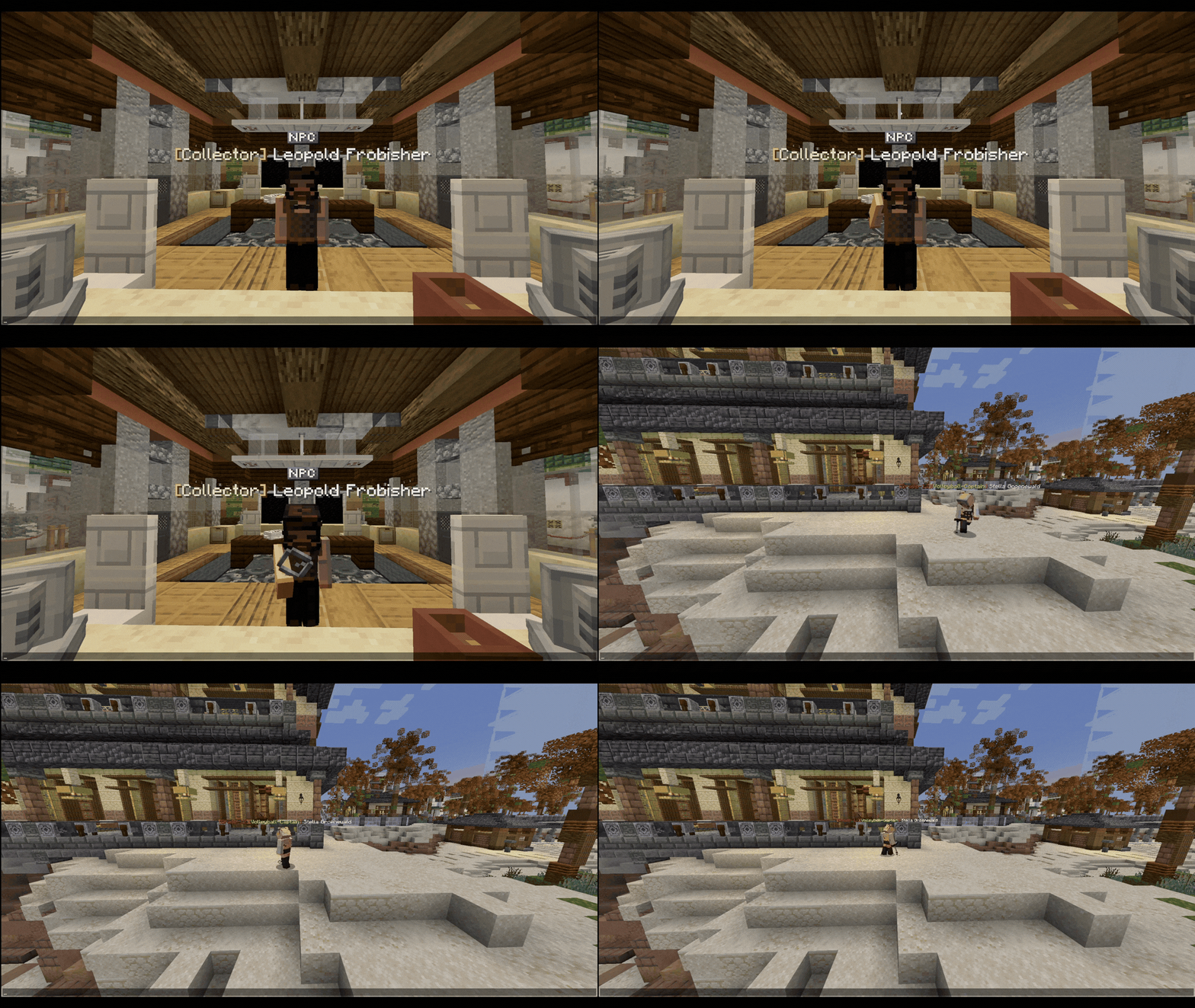
With this update, we've released the first look at our new Karakura Museum that our Build Team is currently working on completing. Here you'll find Leopold, the NPC you sell any treasures you uncover during metal detecting, as well as a sign to buy your first Metal Detector with.
Summary
Find Karakura Museum at 1210x 18y 790z near the Town Hall within the Business Park.
Purchase your first Metal Detector for 1,000 Yen.
Speak to Leopold Frobisher to sell any treasure you find.
Use your Metal Detector on the Beach to find treasures.
Animals that can fly are unable to use a Metal Detector; birds and bees.
To find a treasure block, hold the detector and turn your client volume up. The more frequent and higher pitched the sound emitted, the closer you are to treasure.
Once you're within 3 blocks of a treasure, the sand will have the texture of 'Suspicious Sand', Right-Click to uncover your treasure.
The model itself has animations to show you it's working
Blue screen: Your detector isn't turned on. Are you on the beach?
Blue screen with green pulse: Your detector has found something nearby.
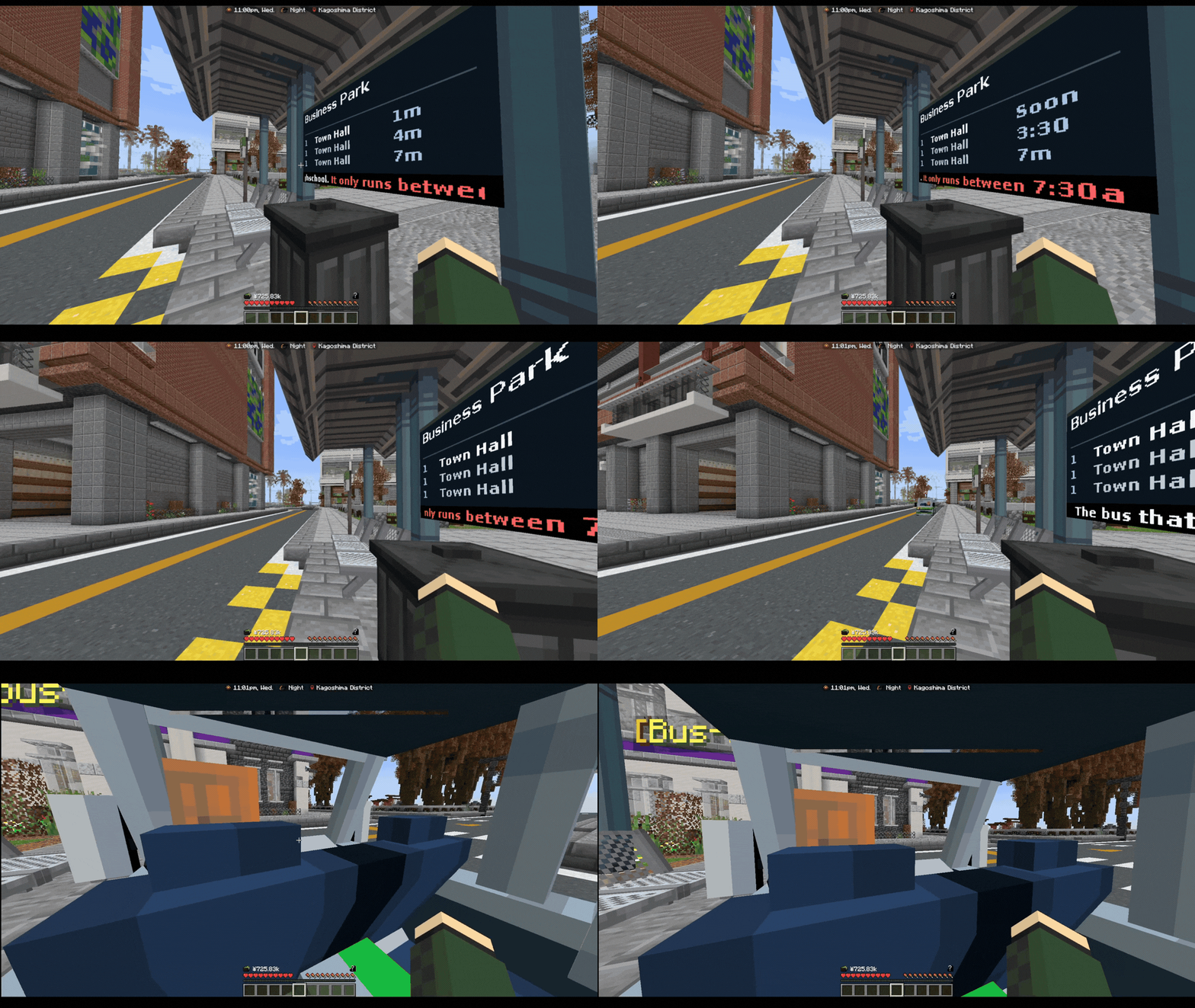
Our School Bus now runs on an automatic schedule with NPC drivers. This allows all time zones to have access to an In-Character Transportation, rather than just heading straight to /spawn and skipping your journey. The route the caretaker-driven school bus took is similar to this one, and you'll find a Bus Stop at: Business Park (near beach car park), Kaigan Pier (near police station), Shotengai, Zen Garden, Powerplant, Town Hall, and of course School (back entrance near 11/7).
Summary
This School Bus now runs before and after school.
Buses are now driven by NPCs on a set schedule.
Anyone can ride the School Bus now.
We have functional display boards which tell you when the next bus is, alongside some other useful info.
Thanking the driver has its own special easter egg reward.
How does this work?
The first route that runs from 7:30am until 9am. This route is for School Drop Off, and you can catch it at any one of the stops around Karakura.
The second route is for School Pick Up which runs from 3pm until 5pm. It's recommended to catch this from the back entrance of School.
You can of course ride this bus route as an Adult too, and if you wanted to ride the route between 3pm and 5pm even when you've finished school and ridden it once already, you can also do so.
The bus is free for all who ride it! As a little easter egg, if you say "Thank you" before the driver pulls off when you get off at your stop, the driver will replenish your hunger bar too saving you from having to eat food items.
Fixed the bug that would have your player constantly blink in and out of appearing when using /lay
Optimized some backend plugin code which had contributed to server lag
Fixed loading of data which contributed to server lag
Fixed some chisel item checks
Fixed decorative blocks ticking
Fixed /changespawn not working properly whenever the player has no property
Fixed some loot in the fishing loot pool from not spawning
Wearable: Fishing Bucket Hat
Storage Item: Fresh Fish Cooler (can only carry fish)
The beach region has been altered to match the new beach update
The beach houses on the beach are ready for release, and will be announced with a later update.
Fixed the Digital Alarm Clock to have the time again
Added movement to gestures missing it
Autumn 2026: Possessed
Autumn 2026: Undead Crawl
Autumn 2025: Tip Toe
Additions
We've replaced our most important NPCs with Animated ones, giving Karakura more life! See these in the Museum, Furniture Shop, Fisherman Hut/Pond, and Plaza
Our resource pack now supports Minecraft version 1.21 - 26.2
We've updated our Server Description (otherwise known as an 'MOTD') to be more modern and inline with our servers.
You are now able to join the Hub and SchoolRP on version 26.3. This is just connection support, our server is still on 1.21.1.
Fixed the bug that allowed you to break your furniture in editmode which would result in you losing it.
We have updated the interior of Felix's Furniture NPC Shop.
38 furniture models have been added to our growing list of public furniture models to be purchased in the Furniture NPC Shop. Thank you to the Shrine Faction and Henki-Do shop for kindly making these public.
Furniture placed in housing is no longer culled, meaning your furniture won't disappear in your property if you're no longer looking at it.
Hitboxes are now far more accurate to the model size, rather than a one size fits all approach.
We have removed the barrier block some furnitures automatically create, and only re-enabled them for furniture we feel it belongs to make your rooms less clunky to walk around, and to allow you to bunch furniture closer together.
Furniture pieces now glow when looking at them with a chisel.
You can no longer paint furniture directly in the Furniture Shop GUI, you must use a paintbrush instead.
Paintbrushes have been added so you can re-paint your existing furniture whenever you like at no extra cost.
Chisels no longer change mode by just clicking, it uses a GUI instead.
Furniture can now move across multiple blocks.
A limit of 350 furniture is permitted per regular property, permanent properties receive a higher limit of 550.
Seats now properly move when the furniture has been moved with a chisel.
Paintbrush
Tired of paying extra each time you want to change the colour of your furniture pieces, or getting stuck with a colour you hate? You can now purchase a Paintbrush item from the Furniture Store!
To use your Paintbrush, simply SHIFT + RIGHT-CLICK to open the menu, and select a colour of your choosing. If you don't have a specific Hexadecimal colour code in mind, you can choose a shade from one of the basic colours in the main menu. You'll also be able to re-equip your 4 most recent colours. Re-paint your furniture as much as you like!
Chisel Changes
After feedback received and the overall experience of using this feature, we decided it was time to modernise it now there have been advances made in some of our other plugins.
Our biggest changes come in the way you choose your chisel mode, movement and how hitboxes. You'll notice that when using the chisel item, any furniture you hover over is now highlighted to show you exactly what furniture your interaction will affect. Not only this, you'll notice that furniture now moves freely across multiple blocks, rather than being stuck on the original block you had placed it on.
When choosing a chisel mode it now opens a helpful UI which describes its exact capabilities. We moved this to a UI to prevent the annoying issue with the previous version where you'd accidentally switch modes in the middle of editing. Each mode selected is, of course, locked until you pick a new one.
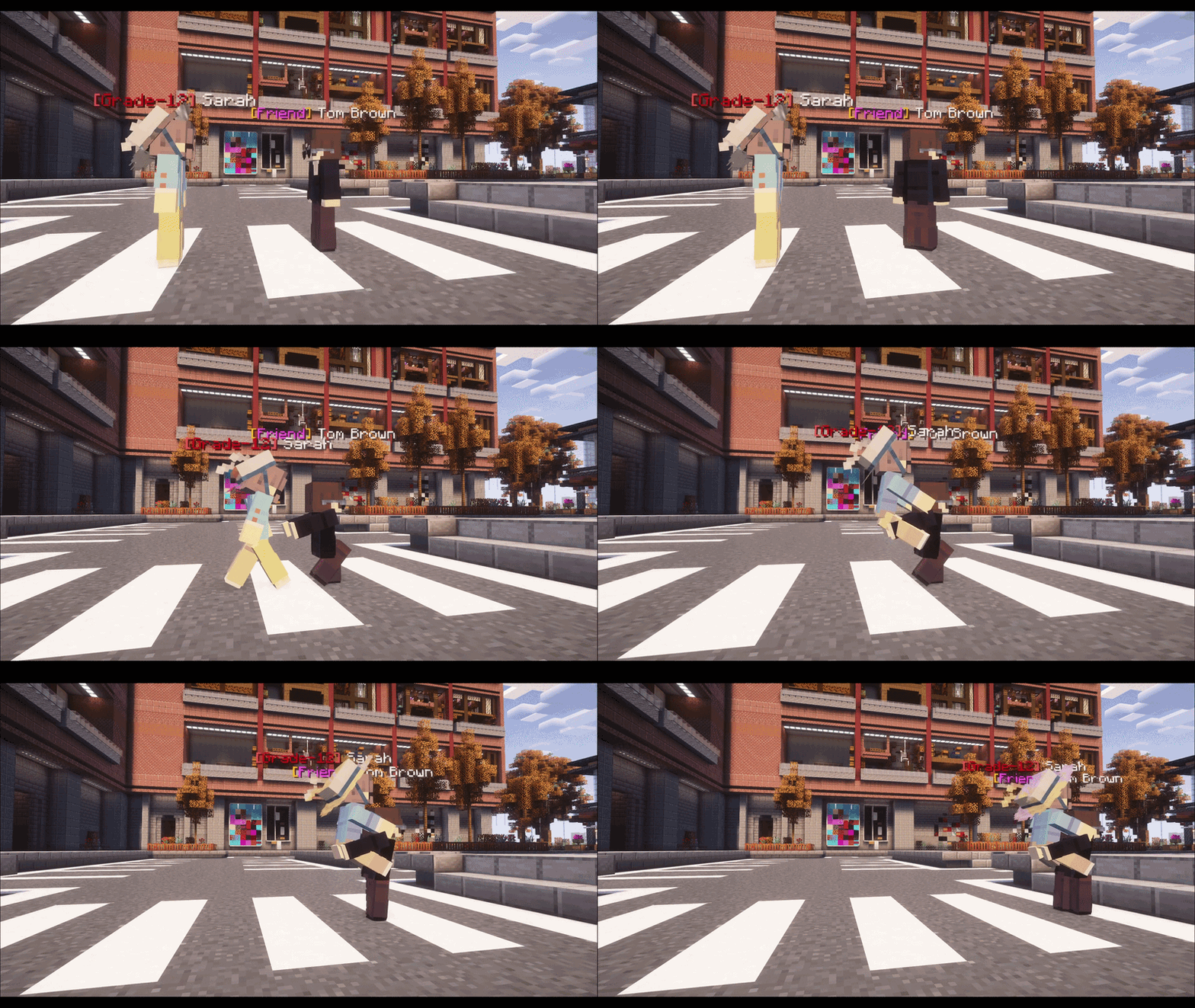
This gesture pack is filled with our new Advanced Animations! All of the gestures featured are Multiplayer, in this pack you'll be able to carry a friend In arms, Over The Shoulder, On The Shoulders, or by Dragging.
These gestures are purely cosmetic, and as of now you cannot sprint whilst in a gesture animation so the walk-speed is locked. Not interested in this pack? Don't worry, you can still access /gesture piggyback for free in-game or simply use /carry.
Multiplayer gestures require at least one of the participants to have access to the gesture. To join a multiplayer gesture, simply right-click a player who has one of these active.
Shopkeepers & Franchisees are now given an incentive to open during "off-peak" hours, our only parameter for this is when the server has less than 100 players online when the first advert is sent.
Shopkeepers can now sell up to 100 items.
Shopkeepers are only permitted to sell 1 item which doesn't match their shop's theme.
Franchises
You may recognise some of our Franchises from older shops from SchoolRP's history.
Where are the franchises on SchoolRP?
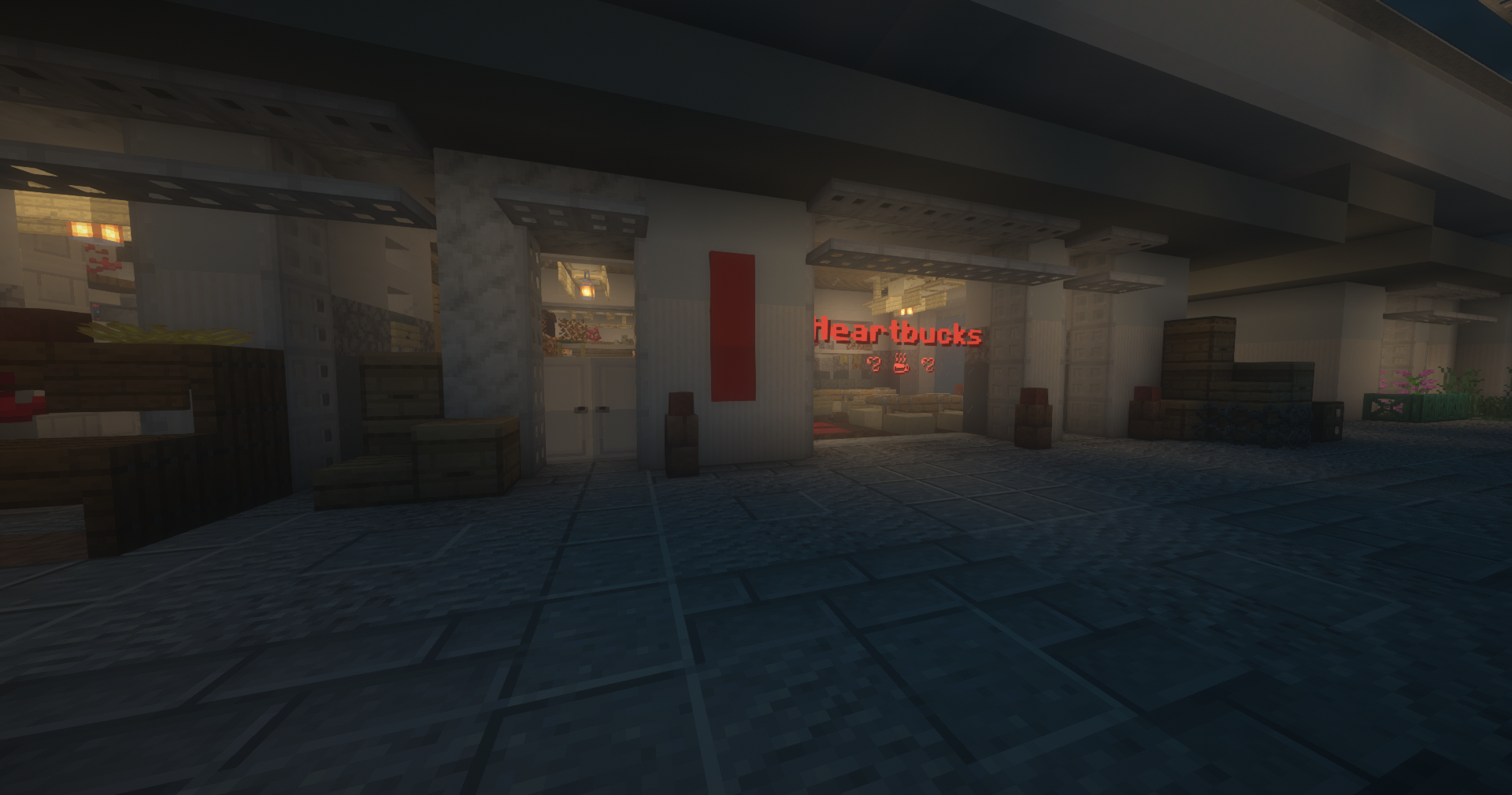
Heartbucks
This quaint little cafe located at 1650x 17y 610z in the Shotengai.
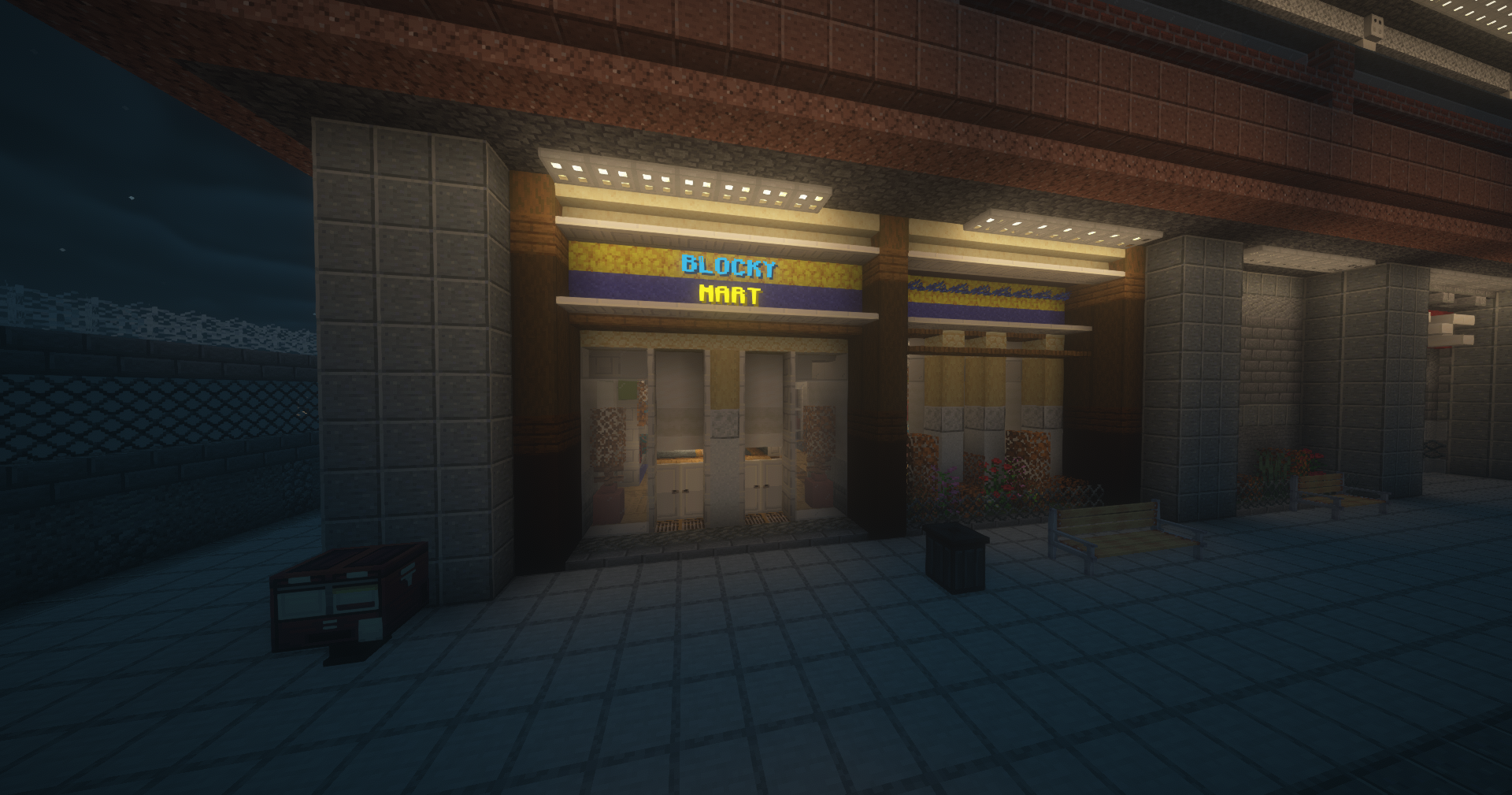
Blocky Mart
This retail giant has made its return to Karakura, you'll find it at 1435x 17y 1230z next to the Police Station.
11-7
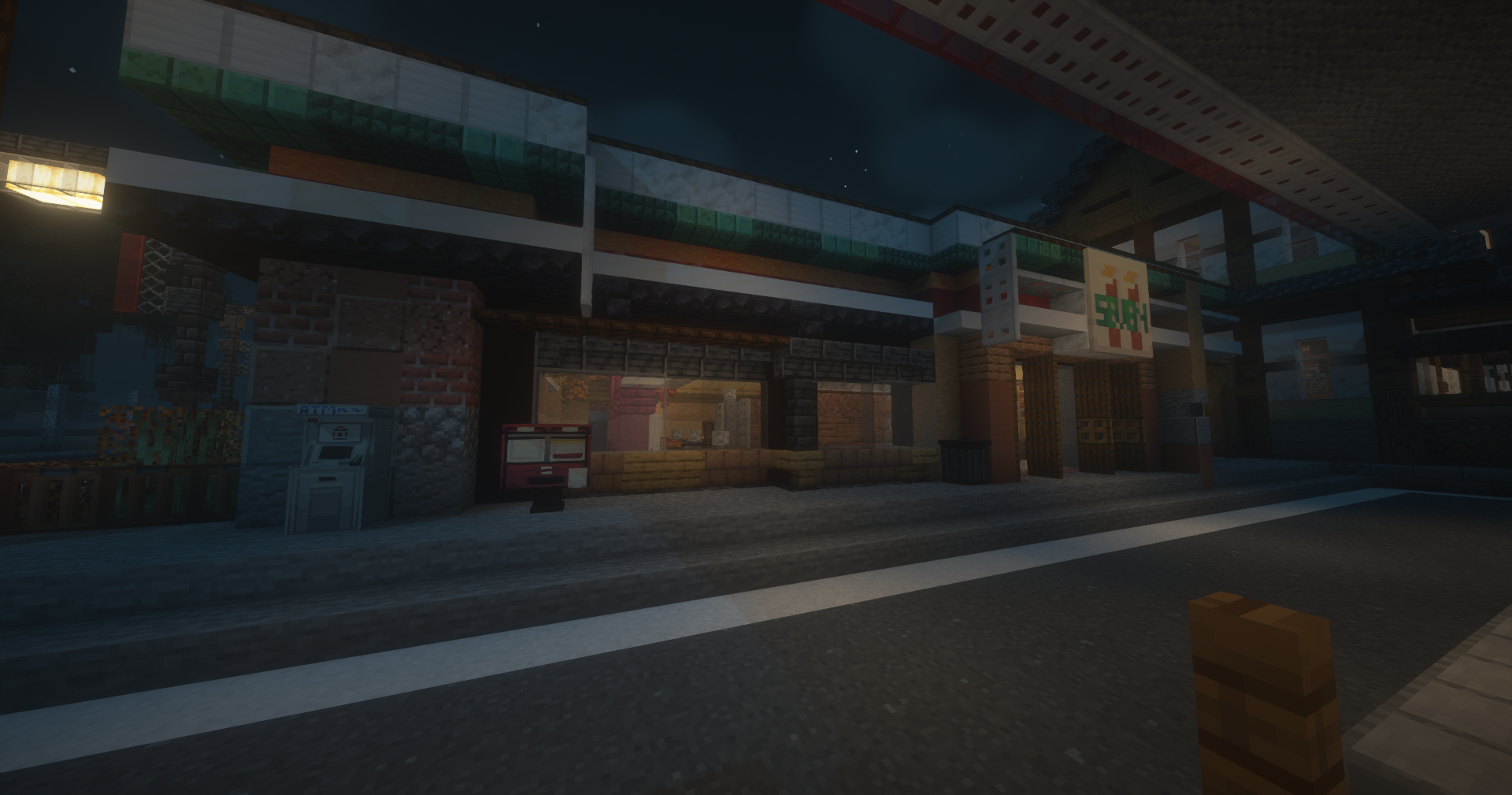
The most trusted place to refuel your vehicle, the 11-7 remains in its same located behind Karakura Highschool, near Ochiba Forest at 1920x 16y 980z.
What is a Franchise on SchoolRP?
Great question! I'm sure over the last few days you may have noticed some players with the new [Franchisee] tags in-game. Well, it's not just for show! A Franchise (or "managed shop") is a new type of permanent shop owned by "the server", which is an easier gateway into owning a shop on SchoolRP.
A franchise can have multiple owners, this is a minimum of two per franchise shop. These players are the ones you see with the Franchisee tag in-game. There are a maximum of three franchised shops at any time, and the shop name and type cannot be changed.
Why have these been added?
We noticed a lack of openings during quieter times on SchoolRP, so ideally, we're looking to have a range of players from different time zones be Franchisee's for our 3 franchises. We hope this'll increase shop openings seen across the board.
We hope that this system's activity will push out the necessity for NPC shops and allow for more roleplay with each of these shops having different offerings that our NPC shops also feature.
These give a greater accessibility to roles within the Shop Faction itself. This role also presents other future possibilities as a Shopkeeper, and even provide you reputation to gain other faction roles.
What about normal shops?
Whilst still earning more than most quota-based faction roles, the Shopkeeper shops are far more profitable compared to Franchises. There are quite a lot of restrictions placed on Franchises which, and the Franchisees are effectively only managers not complete owners of the shops themselves.
What are the restrictions for Franchises?
Certain items must be stocked in each of these shops, for example:
Heartbucks must sell all barista items, and seasonal cafe items.
11/7 must sell all seasonal items, selected slushies, and fuel cans. However, can only sell up to 10 cosmetic/wearables.
Blocky Mart must sell all seasonal items and ingredients.
All franchises cannot have more than 10 shop-only items (these are items that are only sold by this shop).
Workers only keep 25% of any items sold.
They never receive the remaining 75% "profit". 20% of this "profit" is given to the manager, the remaining is taken away as tax/stock fees.
Stock fees don't apply to these shops, this is accounted for in the automated tax taken during sales.
Editmode for the property is limited to just signs as the builds themselves belong to the server. These builds will be updated at minimum once a year at the faction lead's request by a server builder.
We've upgraded our gestures system & Add skateboarding
18 Sep 2026
Improvement
Bug Fixes
Our Developers and Modelling team have been hard at work creating our next generation of Gestures for SchoolRP. This includes some important fixes and changes made to the plugin, as well as some new gesture possibilities, a skateboarding system, and an new gesture pack.
Bug Fixes
Sodium is now supported! You no longer need any additional resource packs to fix the "head glitch".
The custom third person camera gestures use has been updated, you no longer clip through the floor and some additional changes its feel.
The server now cleans up any extra entities which are bugged from the gestures system upon startup.
Player head and hand items no longer float about the player whilst in a gesture.
Still can't see gestures properly?
Please check you're using a supported version of Minecraft
We officially support 1.21.1.
Check what resource packs you have active
It may be that another resource pack you have loaded clashes with ours. If you have a resource pack that fixes the Sodium head glitch, you should remove this as Sodium is now officially support.
Make sure you don't have shaders on
Unfortunately, shaders don't currently work with our gesture system as it clashes with the resource pack. You'll need to turn them off if you want to see gestures.
What's new?
Items can now appear in gestures.
Multi-player gestures are now possible, meaning you can have a gesture that includes another player.
Gestures can now move around just like your minecraft player.
If your character enters water, the gesture will end automatically with no exit animation.
Any hat your character is wearing will show on the gesture. We may add support for backwear soon too.
Some gestures now play sounds. If you want to turn this down, these sounds play on the "PLAYERS" sound category.
Some gestures now have triggers you can activate with numeric key presses, e.g. pressing 1 on your keyboard plays a different animation on the gesture.
Improvements to the way we animate our gestures have been made to make them look smoother.
Showcase
Iconic Gesture Pack
This pack includes some of the new features mentioned above; moving gestures and items included in gestures.
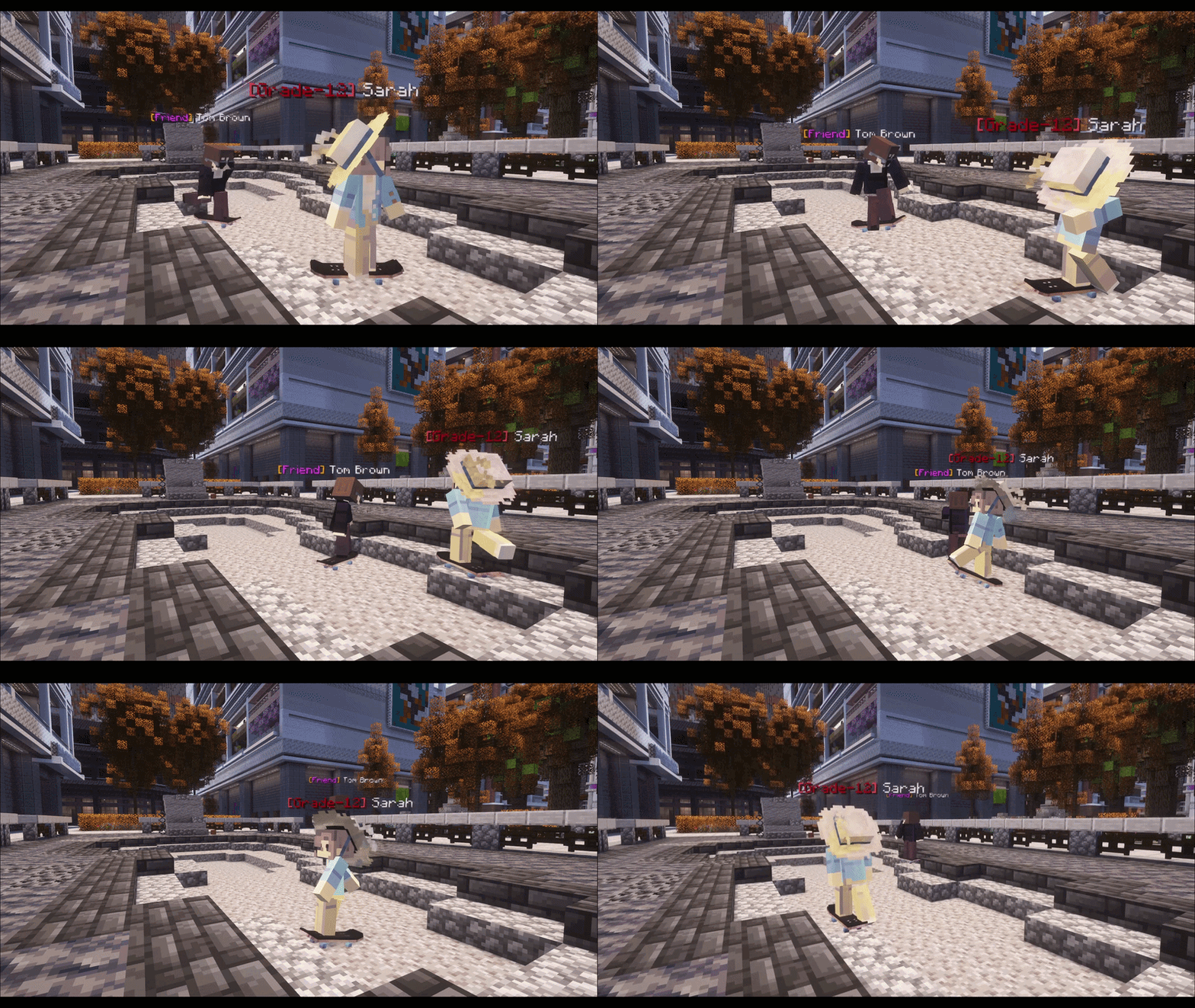
Skateboarding
The ability to skateboard is free! You can purchase a skateboard from any player-owned shop which sells one. If you come across a skateboard which doesn't work with this system, please create a forum ticket here: Model Issue Reporting
How does the skateboard work? All you have to do is Right-Click with the board in your hand, then move around using your mouse and the W key. Want to do a trick on your skateboard? Press the 1, 2, or 3 key on your keyboard and activate a trick.
When ordering a Skateboard Cosmetic Item, make sure to select the "Skateboard" when selecting your desired item type if you want to have it become useable.
Skateboarding Showcase
Multi-player Gestures
This is a new type of gesture allows multiple players to use the same gesture. If one of these is included in a gesture pack, only one player is required to have permission to use it!
Use the gesture shown in the showcase preview for free by doing /gesture piggyback
We've fixed some of the bugs players faced with both Phones and Chat, as well as added a new feature!
Phones
Fixed a bug with /messages where it would show additional pages, but when the user visited them it'd be empty.
Fixed a bug where /messages simply wouldn't load at all.
Added languages to texts via the new inline languages.
Chat
Fixed bug where the player would receive "An error occured while processing this message" in chat.
Added Inline Languages (see below)
Inline Language Update
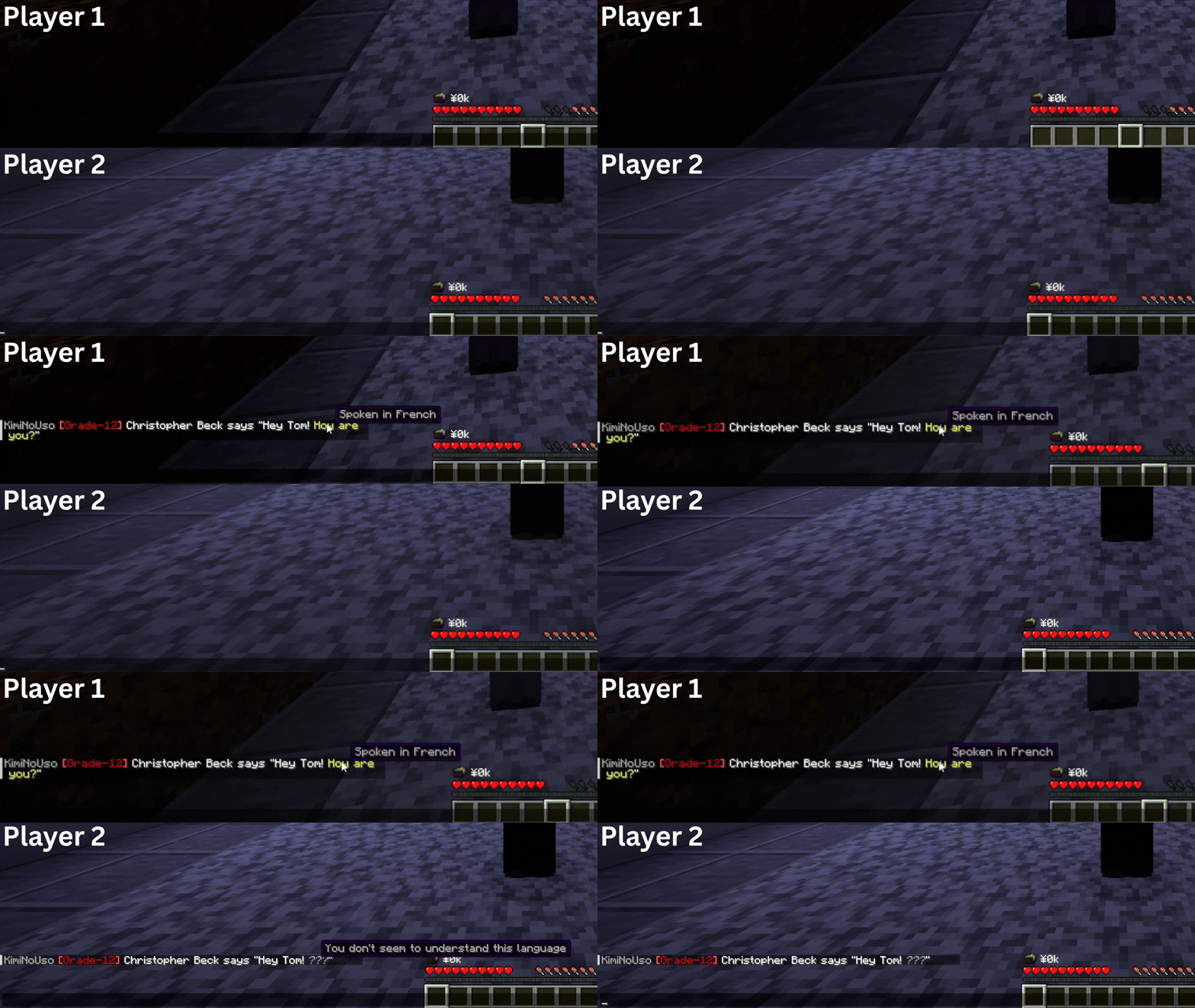
Got a character that knows multiple languages? You can now flip between languages in your messages using inline languages just like you could in real life when talking to friends that speak multiple languages, rather than the usual /lang commands.
Inline languages can be used in all action-based commands, however should not be used for actions themselves, only speech. For example /me Waved "[spanish]Hey![/spanish]"
If you cannot speak the language you're attempting to use, your inline language expression will be ignored and your message will be readable to everyone.
Inline Languages Showcase
How do I do this? To use inline languages, start your text with your language in square brackets (e.g. "[french]"), followed by your message, then end with the same square brackets but put a forward slash (/) in front of the language name.
Show me how: Here's an example of multiple languages being spoke in one chat message: Hey, I'm Tom! [french]But you already knew that,[/french] didn't you. [spanish]Anyway, how are you?[/spanish]..
Pro tip: Instead of [/spanish] or [/french], you can also use [/]. For example [spanish]Anyway, how are you?[/] — That's a saving of 7 characters!
We've implemented some suggestions, fixed some bugs, and added some additional features to our existing systems.
The tablist is now paginated, so instead of "10 more...", it'll scroll down the list automatically so you can see all players online
Doors to unclaimed properties will be opened automatically when the property is disowned/expires
The in-game Baseball scoreboards are now functional, just like Football
Added coffee/barista items for sale the Shotengai Indoor NPC Market
Teachers and Students of a School Trip will no longer show up for staff as out of school during school time.
Fixed the Estate Agent showing properties that don't exist, disallowed any property types that aren't house or apartment from being shown, and organised the menu.
Added working train barriers for the crossings next to the beach with warning sounds before they close.
Removed as many unreasonable In-Character chat replacements as possible, e.g. ello -> hello, omg -> Oh my god, yas -> yes, etc.
When purchasing an extra shared outfit slot in the wardrobe you must now SHIFT and click to avoid accidental purchases.
Added nature discoveries page to the School Planner
See all of the fish you've caught, ones you're missing, the highest length you've caught, and the time you first discovered it.
Added fishing competitions
These will be hosted every Friday, Saturday, Sunday at 7pm In-Character and they run for exactly 1 In-Character Hour.
Competitions are held at the Fishing Hut on the beach.
Rod "reductions" don't apply during competitions to ensure an even playing field.
To win a competition you must score points which can be done by catching fish:
+2 points for catching the first of a kind of fish, e.g. you're the first to catch a Cod
+1-6 points based on rarity level of the fish.
+1 point for catching a "large" fish; catch the top 25% of length for that fish.
+1 point for just catching a fish.
Leaderboard is displayed as a billboard on the side of the fishing hut, behind the little pier
First place: 20k, Second place 10k, Third place 5k